Preferences / Customization
The Microscopy Nodes addon has Preferences to allow for a custom experience and defaults.
You can find these under Edit > Preferences > Add-ons > Microscopy Nodes.
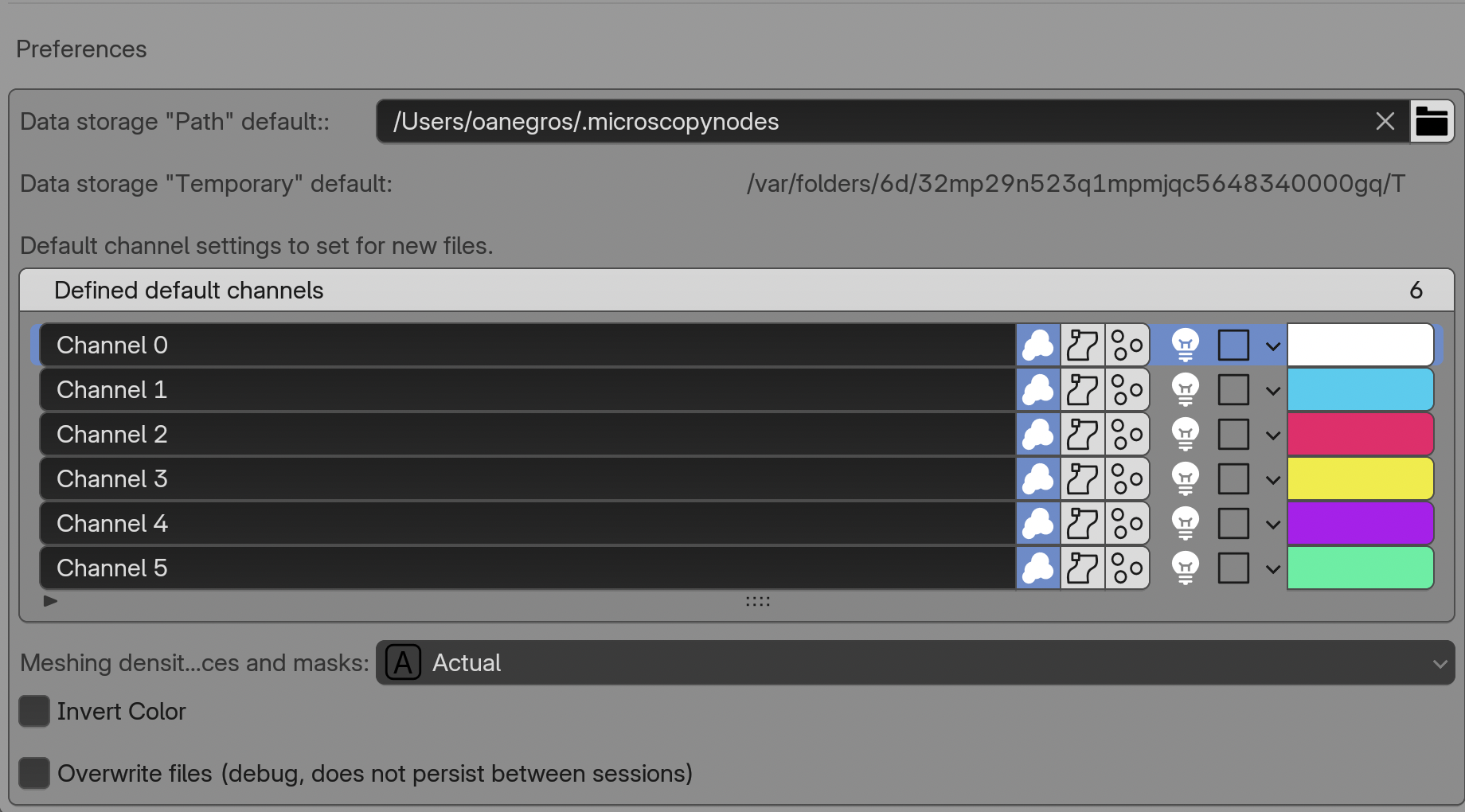
Here we get multiple options for defaults and settings:
- Default "Path"
The cache path that is set if the load option
Pathis selected - Default "Temporary"
The cache path that is generated when load option
Temporaryis selected - Default channels + channel number
This defines the default settings for the channel interface when a new dataset is loaded. If more channels are present in the data than defaults, the list revolves.
- Extra channel slots
Reserves empty channel entries for adding derived or separately masked grids to the Geometry Nodes and shader channel bundles.
- On load slice cube mode
Shader gives a clean bounding-box slice. Geometry creates voxel masks that can use custom shapes, separate inside/outside regions, and drive sparse reloading. See Slice, mask, and recolor data.
- Mesh density
This sets how fine/coarse the geometries for labelmasks and surfaces are
- Invert Color
Inverts all colormaps on load and replace
- Overwrite local files (debug)
If reloading fails for some reason, this is useful to check, but is usually only used for development.